Hear your favorite song when they call
Turn any song, video or voice memo into a ringtone, a text tone or an alarm sound, and add it to your iPhone in one tap.
Basic tones are free and unlimited, with no ads
Pro $4.99 a month or $14.99 once
What you get
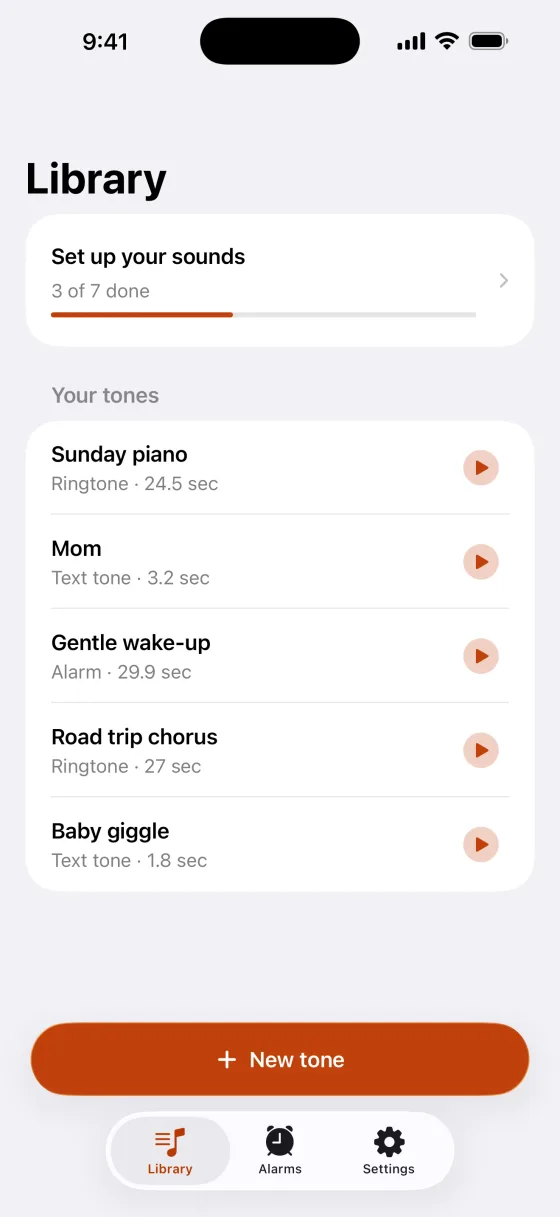
Your song, your ringtone
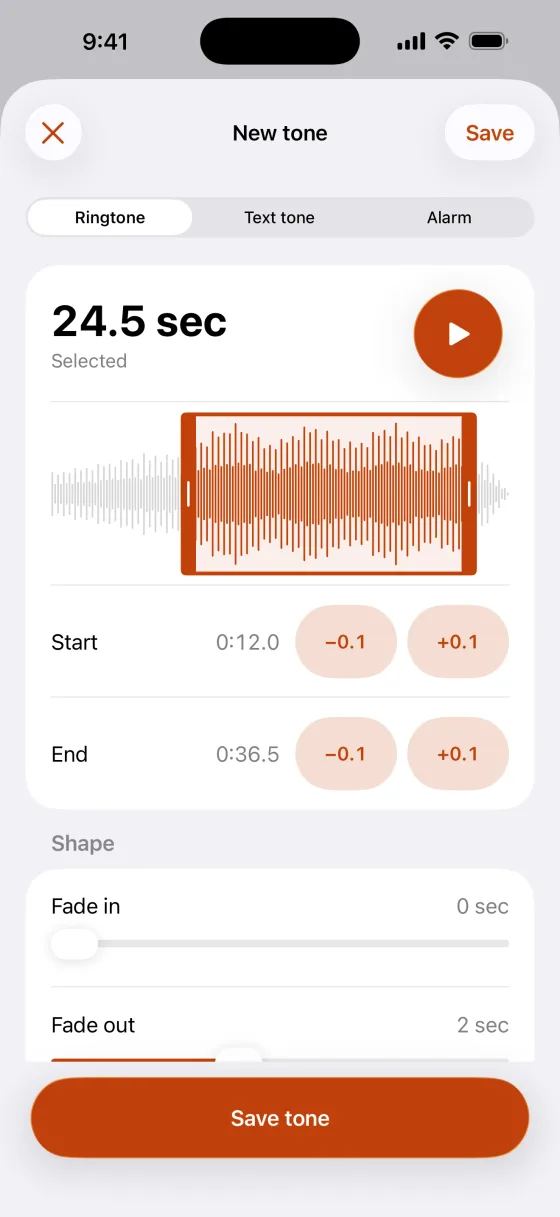
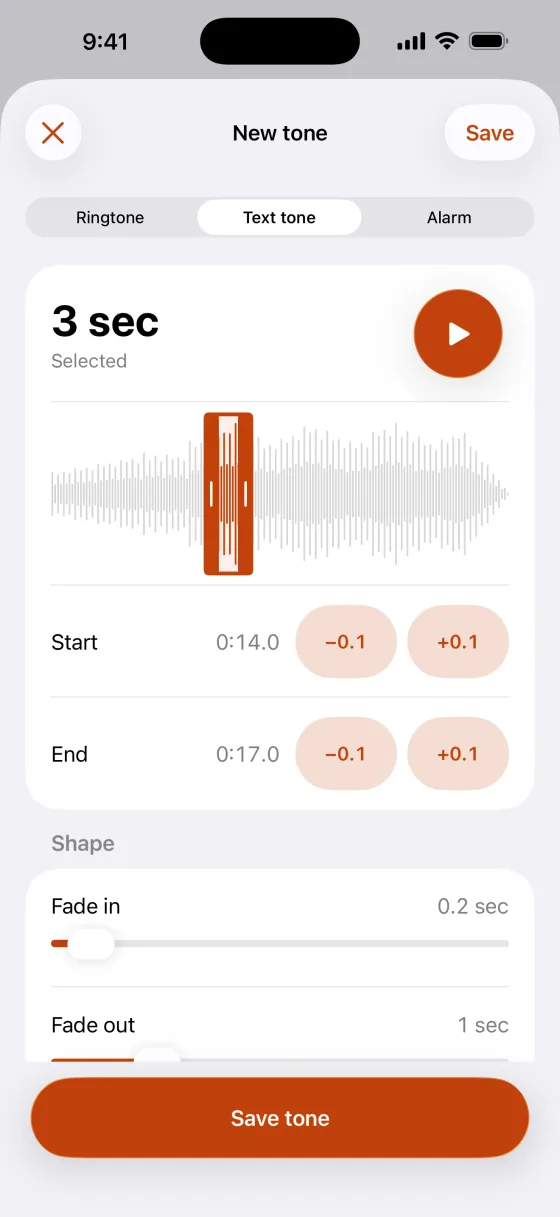
Choose an audio file, the sound from a video in Photos, or record with the microphone. Trim it on a waveform, with step buttons for exact timing.
Know who it is without looking
Give a person their own ringtone or text tone. Pick a contact in the app and their card opens right there, ready to choose the tone. Pro.
Wake up to a song you love
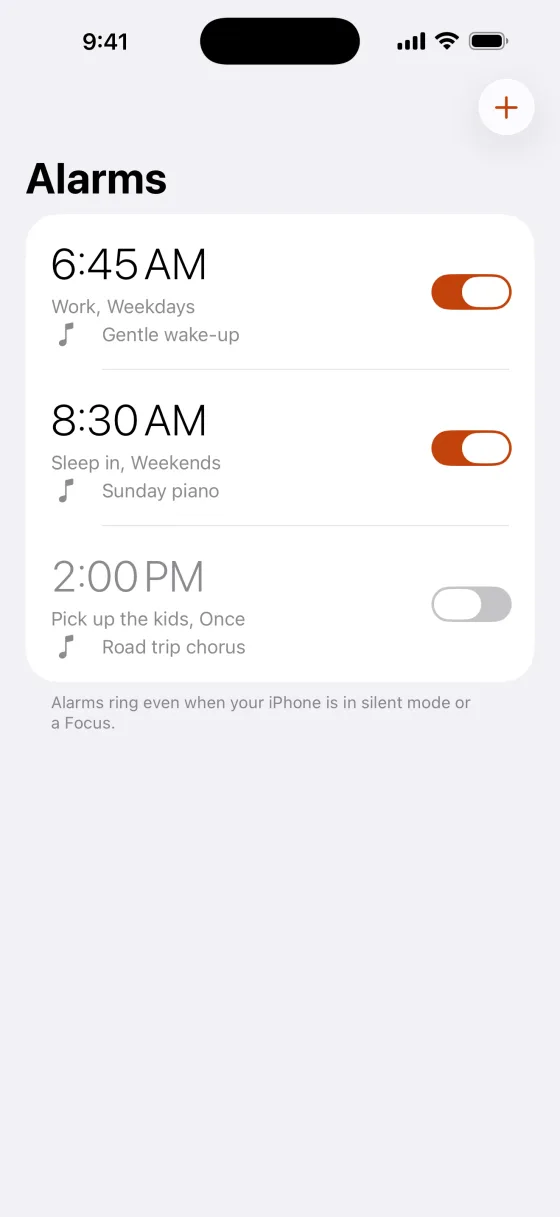
Alarms ring with any tone you make, even in silent mode or a Focus. Set the time, repeat days and a label. Pro.
A text tone no one else has
Fade in, fade out and even out the volume for free. Pro adds volume boost, speed, pitch, looping and one-tap presets, and you can hear each one before you buy.
On your iPhone in one tap
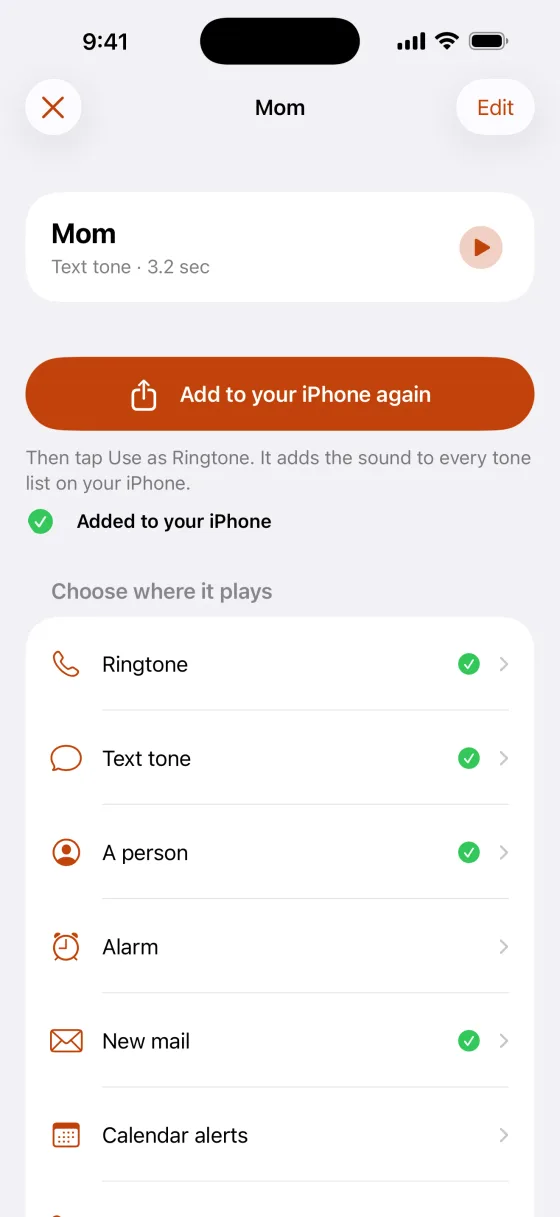
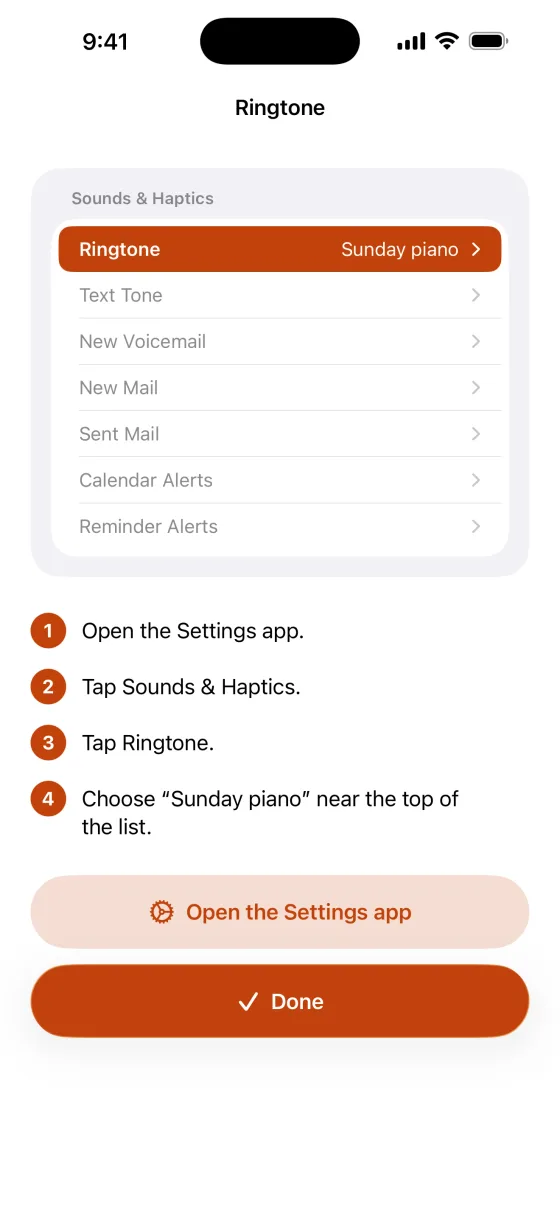
Tap Add to your iPhone, then Use as Ringtone. The sound appears in every tone list: Ringtone, Text Tone, New Mail, Calendar Alerts, Reminders and more. No computer or cables.
Private
No account, no ads and no tracking. Your sounds stay on your iPhone.
Tones are kept under 30 seconds, the length iPhone accepts. Use sounds you have the right to use. Details on data are in the privacy policy.
How it works
Pick the part you love
Open a song, a video's sound or a recording, choose Ringtone, Text tone or Alarm, and drag the handles on the waveform.
Add it to your iPhone
Tap Add to your iPhone, then Use as Ringtone. The sound now appears in every tone list on your iPhone.
Choose where it plays
Follow the numbered steps for calls, texts, mail, calendar alerts and reminders, open a contact's card for one person, or make an alarm.
Price
Free
$0
Unlimited basic tones: trim, fade and even out the volume.
Pro monthly
$4.99a month
Effects, presets, a sound for each person and alarms. Renews automatically unless canceled.
Pro lifetime
$14.99once
Everything in Pro, paid once. Never expires.
Requires iPhone with iOS 26 or later. English.
Questions and answers
What is Ringtone & Text Tone Maker?
Ringtone & Text Tone Maker is an iPhone app that turns any song, video or recording into a ringtone, a text tone or an alarm sound, and shows you where to tap to set each one up. It is made by Winton Gee.
Is it free?
Yes. Making, trimming, fading and adding basic tones is free and unlimited, with no ads. Pro adds effects, presets, a sound for each person and alarms with your sounds for $4.99 a month or $14.99 once.
Do I need a computer?
No. Everything happens on your iPhone. Tap Add to your iPhone, then Use as Ringtone, and the sound appears in your tone lists.
Can the app set my ringtone for me?
No app can. iPhone decides which sound plays for each slot, so the last step happens in Settings or on the contact card. The app shows you exactly where to tap.
How long can a tone be?
Up to 29.9 seconds. iPhone does not accept ringtones of 30 seconds or longer, so the app keeps every tone under that.
Which iPhones does it work on?
An iPhone with iOS 26 or later. The Use as Ringtone action and alarms with your own sound both need iOS 26. The app is in English.
Where are my sounds stored?
On your iPhone. There is no account, nothing is uploaded and nothing is tracked.
More questions? Visit support or email wintongee@gmail.com.
Guides
Set a custom text tone, give a contact their own ringtone and wake up to your own sound.
- How to set a custom text tone on iPhoneMake a short sound, add it to your iPhone, then choose it as your text tone.
- How to give a contact their own ringtone on iPhoneGive one person their own ringtone and text tone from their contact card.
- How to make an alarm with your own sound on iPhoneMake an alarm sound, then set an alarm that rings with it.
Make your first tone free
Ringtone & Text Tone Maker is not on the App Store yet. This page will link to it as soon as it is.
Coming soon to the App Store